
Responsive screen sharing
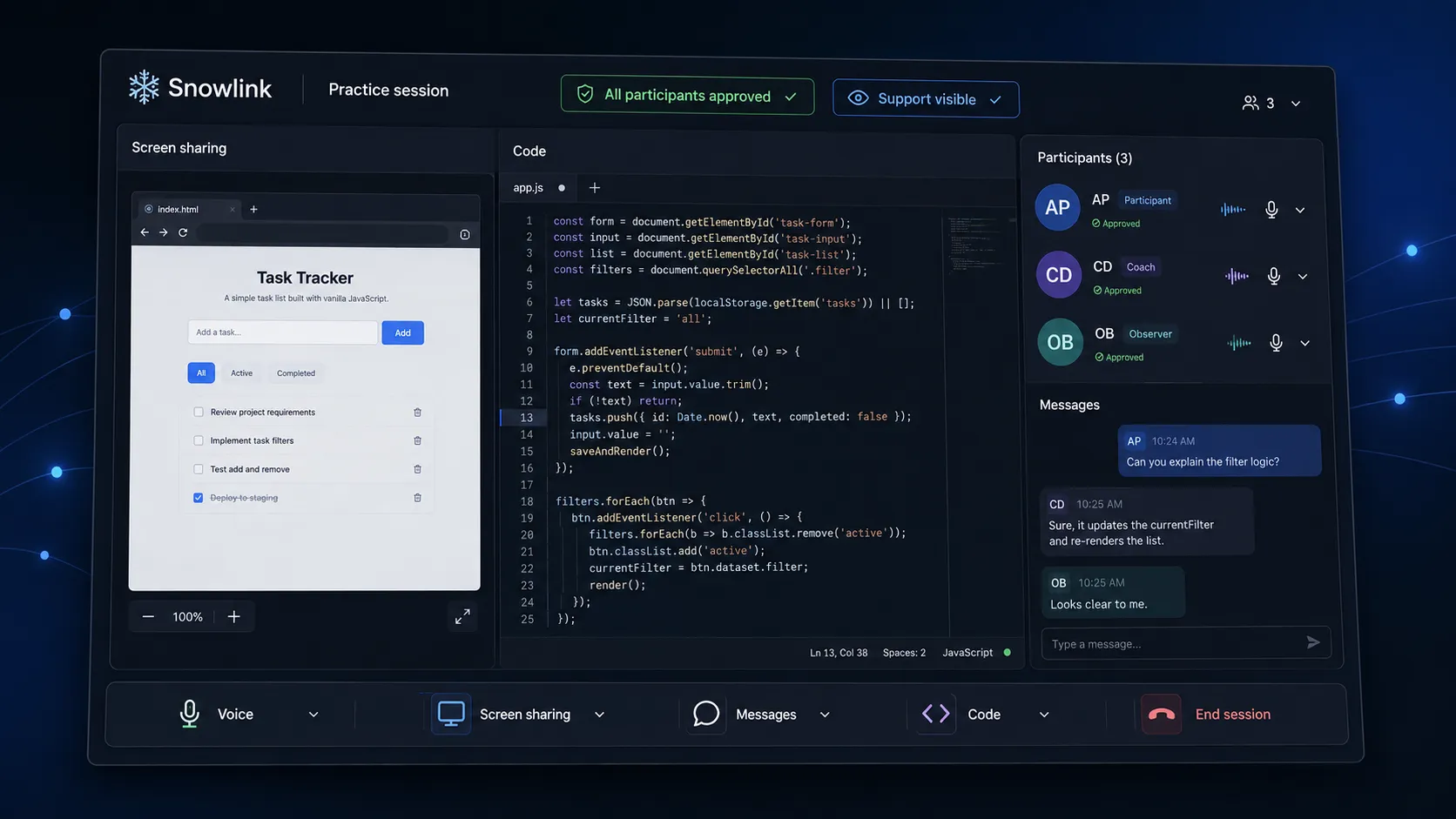
Share the working context with a coach, trainer, evaluator, or authorized support person so feedback is grounded in what the participant can actually see.
Snowlink · Controlled pilot
Snowlink brings screen sharing, session messaging, code collaboration, and voice into one workspace for mock interviews, technical training, collaborative assessments, and accessibility support that every participant has authorized.

The problem
A technical practice session may require video or voice, screen context, an editor, notes, and a separate messaging channel. Switching between them makes it harder for a coach, instructor, or approved supporter to understand what is happening and give useful feedback.
Snowlink keeps the session context together while making participation and permissions explicit.
Ethical use
Snowlink is not intended for hidden assistance, impersonation, or evading the rules of an employer, interviewer, assessment provider, school, or platform. Support should be disclosed and approved by the relevant participants. Users are responsible for following the rules that apply to each session.
Product status
We are testing Snowlink in limited practice, training, and approved-support settings while we refine participant consent, session controls, performance, and auditability.
What we built
The desktop client, browser workspace, and real-time service coordinate screen context, code work, messages, and voice. Session owners decide who can join and which capabilities are available. Participants can see when support is active and end access when the session is complete.
Core capabilities
Share the working context with a coach, trainer, evaluator, or authorized support person so feedback is grounded in what the participant can actually see.
Exchange links, questions, prompts, and feedback without moving the practice session into an unrelated chat tool.
Work through coding exercises and technical walkthroughs in an environment designed for teaching, practice, and assessments that explicitly permit collaboration.
Keep spoken coaching or approved support connected to the same session and participant list.
Define who may join, what each person may use, and when access ends. Retain a clear session history where the use case requires it.
Appropriate uses
Prohibited uses
Performance and security
Snowlink is being designed for responsive media handling, controlled access, visible participant state, and deliberate data retention. Any public claims about encryption, recording, deletion, or regulatory compliance must match the implemented system and documented operating process.
Tell us whether your use case is interview practice, technical training, a collaborative assessment, or an accessibility accommodation. We will ask about participant consent, the rules of the session, and the controls your organization requires.
Discuss a Snowlink Pilot